
WD Red vs Seagate IronWolf: Which NAS Drive Should You Buy?
 10 min read
1,828 words
10 min read
1,828 words
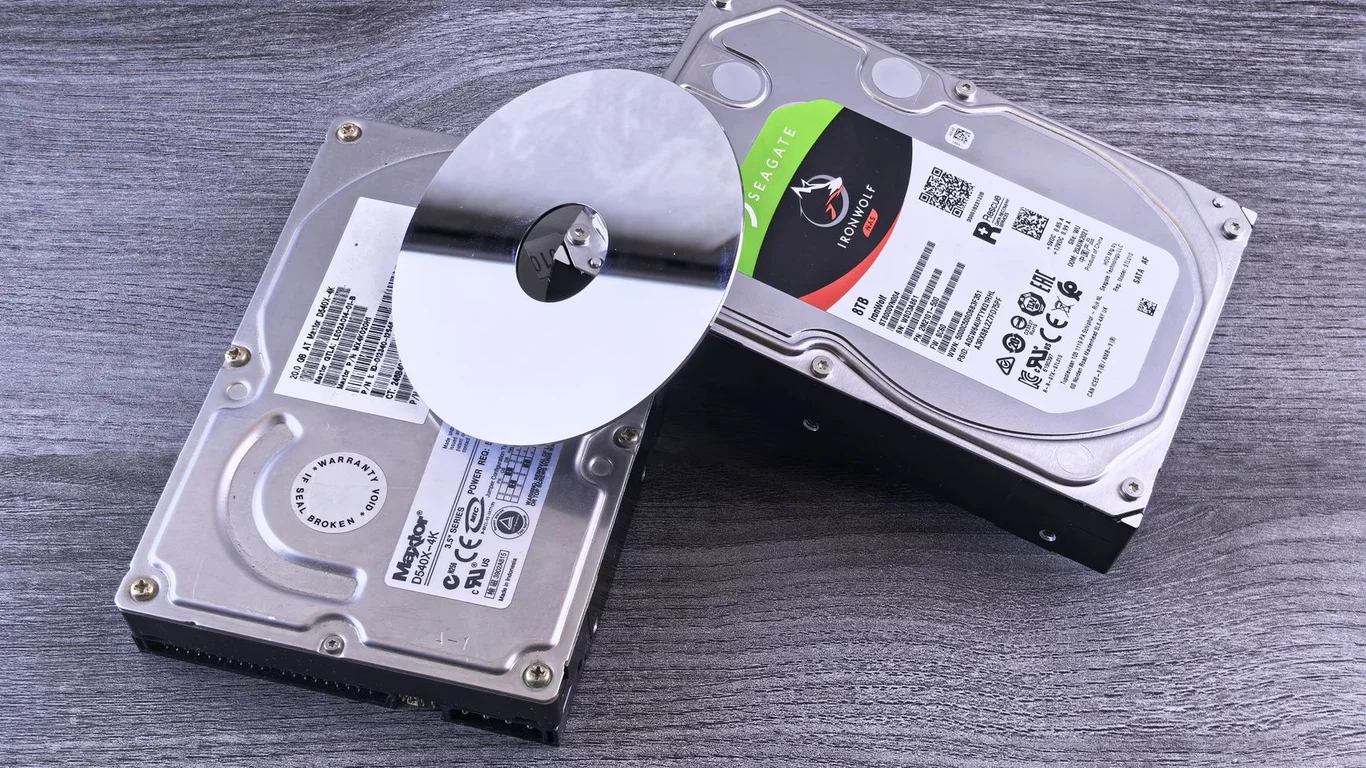
If you’re building a NAS and have narrowed it down to WD Red or Seagate IronWolf, you’re looking at the two most popular NAS-rated hard drive lines. The short answer: for most home users building a 2- to 6-bay NAS, either the WD Red Plus or the Seagate IronWolf (non-Pro) will serve you well, but there are key differences in warranty, noise, and the infamous WD Red SMR controversy that you need to understand before buying. This guide breaks down the WD Red vs IronWolf comparison across performance, noise, power, reliability, and value so you can pick the best NAS hard drive brand for your specific build.
WD Red vs IronWolf: The SMR Controversy You Must Know About
The most important thing to understand in the Seagate IronWolf vs WD Red debate is that original WD Red drives (models ending in “EFAX”) used Shingled Magnetic Recording (SMR) technology. SMR drives rewrite data in overlapping tracks, which causes severe write performance degradation during RAID rebuilds or sustained writes. This was widely criticized and WD eventually discontinued the SMR-based Red line after a class-action lawsuit.
Today, the consumer WD Red line has been restructured:
- WD Red (no suffix) — Still SMR. Avoid for any RAID or ZFS pool. Only suitable for single-drive, write-once-read-many applications.
- WD Red Plus — CMR (Conventional Magnetic Recording). The drive you actually want. Full RAID compatibility.
- WD Red Pro — CMR, higher RPM (7200), longer warranty, vibration sensors.
If you see a “WD Red” drive without “Plus” or “Pro” in the name, assume it’s SMR. Do not put it in a RAID array. Always check the model number — EFAX = SMR, EFRX/EFBX = CMR.
Seagate IronWolf drives have always been CMR across the entire line (standard and Pro). This gives IronWolf a clear trust advantage — you never have to worry about accidentally buying a drive that will cripple your RAID performance.
Seagate IronWolf vs WD Red: Performance Differences in Real-World Use
Once both drives are CMR-based, the raw sequential read/write speeds are very similar — typically 180-210 MB/s for 5400 RPM models and 220-260 MB/s for 7200 RPM Pro models. The real difference shows in random I/O and sustained write behavior.
Sequential vs Random I/O: What Actually Matters for Your NAS
For a typical home NAS serving media files (Plex, Jellyfin) or file backups, sequential performance is what you’ll notice most. Both WD Red Plus and IronWolf deliver similar sequential speeds at the same RPM class.
Random I/O (small file operations) matters more for database workloads or virtual machine storage. Here, IronWolf drives generally have a slight edge due to Seagate’s AgileArray firmware, which optimizes RAID error recovery. However, in a multi-drive RAID 5 or RAIDZ1 array, the controller or ZFS software handles most of the random I/O optimization — the drive-level differences become negligible.
In a 4-drive RAID 5 array, the RAID controller’s stripe size and cache settings will have a much larger impact on real-world performance than whether you chose WD Red Plus or IronWolf. Don’t overthink the drive-level benchmarks — focus on getting CMR drives from either brand.
Does Drive Brand Matter in a RAID Array?
Once a drive is in a RAID array, the controller or software RAID (mdadm, ZFS, Synology Hybrid RAID) handles redundancy and error recovery. The drive brand itself becomes less important than the drive’s error recovery behavior. Both WD Red Plus and IronWolf use TLER (Time-Limited Error Recovery) — this means they will quickly report an unreadable sector to the RAID controller rather than spending minutes trying to recover it, which would cause the controller to drop the drive from the array.
This is the key reason you should never use desktop drives (like WD Blue or Seagate Barracuda) in a RAID array — they lack TLER and will cause frequent drive drops. Both WD Red and IronWolf are designed specifically for RAID environments.
Noise and Power Draw: WD Red Plus vs IronWolf
If your NAS lives in a living room or home office, noise and power consumption matter. Here, WD Red Plus drives have a clear advantage.
| Specification | WD Red Plus (4TB) | Seagate IronWolf (4TB) |
|---|---|---|
| Idle Power | ~3.4W | ~5.0W |
| Operating Power | ~4.5W | ~6.8W |
| Idle Noise | ~20 dBA | ~23 dBA |
| Seek Noise | ~24 dBA | ~28 dBA |
The WD Red Plus uses a 5400 RPM spindle speed across most capacities (up to 8TB), while Seagate IronWolf uses 5900 RPM in smaller capacities and 7200 RPM above 8TB. The lower RPM directly translates to less power draw and less noise.
If you’re building a 4-bay NAS and running it 24/7, the power difference between four WD Red Plus drives vs four IronWolf drives adds up to roughly $15-25 per year in electricity costs (at $0.12/kWh). Over 5 years, that’s $75-125 — enough to offset a price difference. See our guide on how to reduce your NAS’s power consumption for more tips.
IronWolf Pro vs WD Red Pro: Capacity Ceiling and Vibration Sensors
When you move to the Pro tiers, both drives offer higher capacity options and additional features for multi-bay NAS systems (8+ bays).
Maximum Capacity Comparison
| Drive Line | Max Capacity (as of 2026) | RPM | Warranty |
|---|---|---|---|
| WD Red Plus | 14TB | 5400-5640 | 3 Years |
| Seagate IronWolf | 12TB | 5900-7200 | 3 Years |
| WD Red Pro | 24TB | 7200 | 5 Years |
| Seagate IronWolf Pro | 24TB | 7200 | 5 Years |
At the Pro level, both brands now offer 24TB drives. The WD Red Pro has a slight advantage in availability of 24TB models as of early 2026, but Seagate is expected to match quickly.
Vibration Sensor Technology for Multi-Bay NAS
In a 6-bay or larger NAS, vibration from adjacent drives can cause performance degradation and increased error rates. Both manufacturers address this:
- WD Red Pro uses Rotary Acceleration Feed Forward (RAFF) sensors that compensate for rotational vibration in real-time.
- Seagate IronWolf Pro uses dual-plane RV (Rotational Vibration) sensors that detect and cancel vibration across both axes.
In practice, both technologies work well for 8-bay and even 12-bay chassis. The difference is negligible for home users — you won’t notice a performance gap in a 4- or 6-bay Synology or TrueNAS build. For enterprise 24-bay systems, IronWolf Pro’s dual-plane sensors have a slight edge in extreme vibration environments.
Warranty and Reliability: Which Drive Lasts Longer?
Both brands offer 3-year warranties on standard models and 5-year warranties on Pro models. The published MTBF (Mean Time Between Failures) ratings are close:
- WD Red Plus: 1.0 million hours MTBF
- Seagate IronWolf: 1.0 million hours MTBF
- WD Red Pro: 1.2 million hours MTBF
- Seagate IronWolf Pro: 1.2 million hours MTBF
Annualized failure rates (AFR) from Backblaze’s drive reports show both brands performing similarly in the 1-2% range for 4-8TB drives. The IronWolf drives have historically shown slightly lower failure rates in the 4TB class, but the difference is small enough that you shouldn’t base your purchase on it.
When choosing between the best NAS hard drive brand, buy the same model and capacity across all drives in your array. Mixing brands or models can cause performance mismatches in RAID — the array will run at the speed of the slowest drive. See our RAID 1 vs RAID 5 comparison for guidance on choosing the right redundancy level.
Which Should You Choose: WD Red or Seagate IronWolf?
Here’s the bottom line for your specific build scenario:
Choose WD Red Plus if:
- Your NAS is in a living space (quieter, lower power)
- You’re building a 2- to 6-bay NAS
- You want the most energy-efficient option
- You can confirm you’re buying “Plus” or “Pro” (not the plain “Red”)
Choose Seagate IronWolf if:
- You want zero confusion about CMR vs SMR (all IronWolf is CMR)
- You’re building an 8+ bay NAS and want the best vibration sensors
- You need the Pro tier’s 5-year warranty at the highest capacities
- You prefer Seagate’s firmware track record for RAID environments
For the vast majority of home NAS builders using TrueNAS or Unraid, the WD Red Plus is the better value — it’s quieter, more power-efficient, and often $5-15 cheaper per drive than the equivalent IronWolf. However, if you’re building a high-density storage server or simply don’t want to worry about accidentally buying an SMR drive, the IronWolf line is a safe, reliable choice.
Frequently Asked Questions
Is WD Red still an SMR drive?
No, but with a critical caveat. The original WD Red (without “Plus” or “Pro”) is still SMR and should be avoided for RAID. However, the current WD Red Plus and WD Red Pro lines use CMR (Conventional Magnetic Recording) technology and are fully compatible with RAID arrays. Always check the model number: EFAX = SMR (avoid), EFRX/EFBX = CMR (safe). If you’re buying new drives today from major retailers, you will almost certainly get CMR drives if you purchase the “Red Plus” or “Red Pro” SKUs.
Which is quieter, WD Red or IronWolf?
WD Red Plus drives are consistently quieter than Seagate IronWolf drives at the same capacity. At 4TB, the WD Red Plus idles at around 20 dBA compared to 23 dBA for the IronWolf. During seek operations, the difference is more noticeable — roughly 24 dBA vs 28 dBA. The lower noise comes from the WD Red Plus’s 5400 RPM spindle speed, while IronWolf drives run at 5900 RPM (or 7200 RPM in larger capacities). If your NAS is in a bedroom or living room, the WD Red Plus is the better choice for noise-sensitive environments.
Which has higher capacity options, WD Red Pro or IronWolf Pro?
Both the WD Red Pro and Seagate IronWolf Pro now offer 24TB drives, so they are effectively tied at the top end. As of early 2026, WD has a slight edge in availability of the 24TB Red Pro model, but both brands are expected to offer 24TB consistently. Below the Pro tier, the WD Red Plus goes up to 14TB while the standard IronWolf tops out at 12TB. If you need 14-16TB drives at a non-Pro price point, the WD Red Plus is your only option in this comparison.
Does the drive brand actually matter once it’s in a RAID array?
Not significantly for most home users. Once a drive is in a RAID 5, RAIDZ2, or Synology Hybrid RAID array, the controller or software handles redundancy, error recovery, and performance striping. The drive brand itself matters far less than whether the drive has TLER (Time-Limited Error Recovery) — both WD Red and IronWolf have it. The real-world performance difference between a WD Red Plus and an IronWolf in a 4-drive RAID 5 array is typically under 5%. Your choice should be based on noise, power, warranty, and price rather than raw performance differences.
Last verified: July 09, 2026. Specifications cross-checked against manufacturer documentation where available.
🛡 Shop Recommended Hardware
Prices and stock verified regularly by our affiliate partners. As an affiliate, HomeLabCost may earn a commission on qualifying purchases at no extra cost to you.
Browse Hardware Picks →
homelabcost
HomeLabCost editor covering NAS builds, hardware selection, and homelab server setup guides.