
Best PSU for a NAS Build in 2026: Sizing, Efficiency & Reliability
 10 min read
1,950 words
10 min read
1,950 words
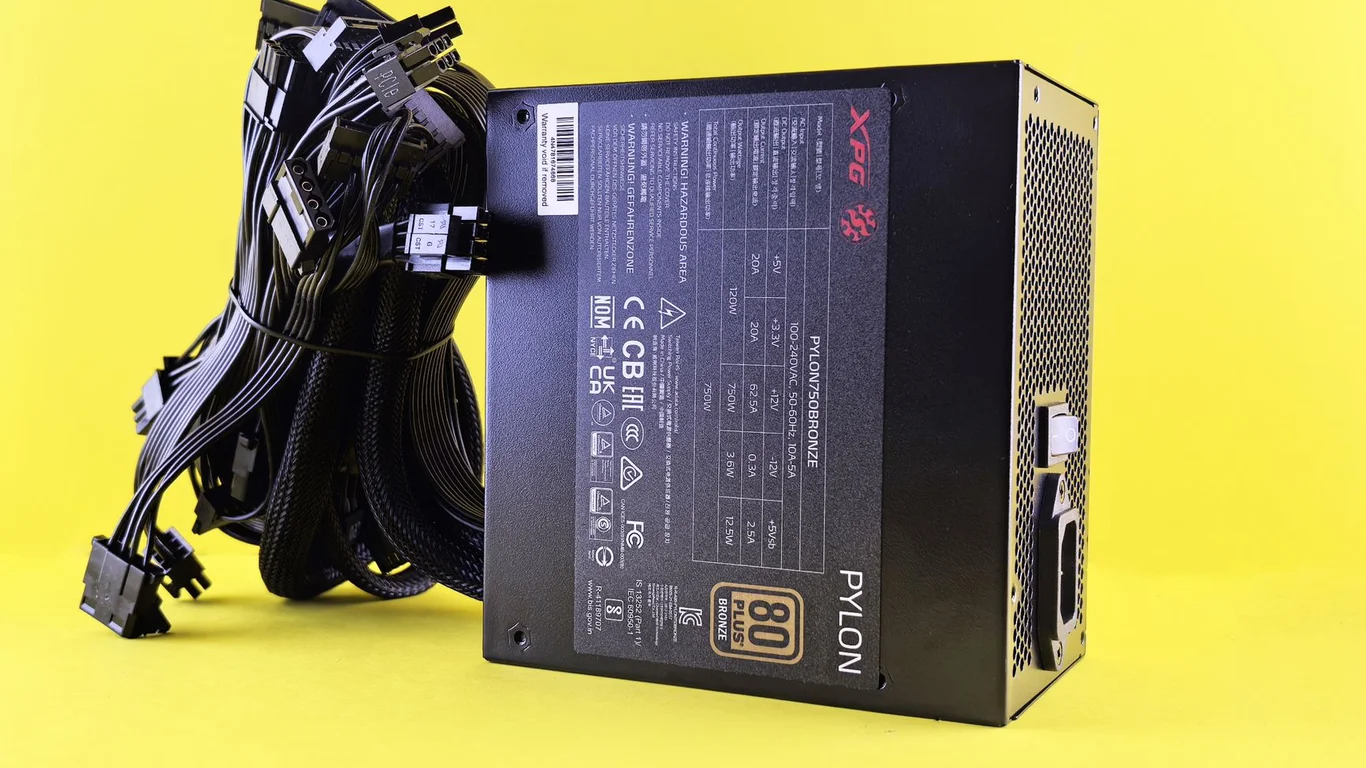
Why Your NAS PSU Choice Matters More Than Your CPU or Motherboard Pick
Choosing the best PSU for a NAS build isn’t about peak performance — it’s about continuous, reliable operation over years of 24/7 runtime. A power supply failure in a gaming PC means a reboot; in a NAS holding your family photos, media library, and Docker containers, it can mean data corruption, drive damage, or a full rebuild. This guide covers wattage sizing for drive spin-up, efficiency tiers that actually pay off, form factor decisions tied to your case, and why an unbranded $30 PSU is a genuine risk to your data. This guide breaks down best psu for nas in practical terms.
You’ll get a clear sizing method, specific model recommendations by budget tier, and the exact trade-offs between efficiency, noise, and upfront cost. No generic “buy a reliable brand” advice — you’ll leave knowing exactly what wattage, efficiency rating, and form factor fits your drive count and case.
NAS Power Supply Sizing: Steady-State vs. Spin-Up Current
NAS power supply sizing is different from sizing for a gaming or workstation PC. A NAS rarely pulls peak wattage — most of its life is spent at 10-30% of the PSU’s rated capacity, handling file transfers, Plex transcodes, or Docker containers. The critical moment is boot-up, when every hard drive spins up simultaneously.
A single 3.5″ HDD can draw 2-3 amps on the 12V rail during spin-up, or roughly 25-35 watts per drive for 3-5 seconds. With eight drives, that’s a temporary 200-280W spike before the drives settle to their 6-10W steady-state idle. If your PSU lacks sufficient 12V headroom, it may trip overcurrent protection or fail to start the drives at all.
Many PSUs list their 12V rail rating separately from total wattage. A “500W” PSU might only deliver 450W on the 12V rail. For an 8-drive NAS, ensure the 12V rail can deliver at least 300W continuously, plus 20-30% headroom for the spin-up spike. Check the PSU’s label — the combined 12V wattage is what matters, not the total.
Wattage Calculator for NAS Builds
Use this rough formula for a safe PSU wattage target:
- CPU + motherboard + RAM + fans: 30-80W (Intel N100 or low-end i3) to 100-150W (higher-end Ryzen or Xeon).
- Each 3.5″ HDD (steady-state): 6-10W at idle, 20-30W during active writes.
- Each 2.5″ SSD: 2-5W steady-state.
- Add 20-30% headroom for spin-up spikes and future drive additions.
For a typical 6-bay NAS with an Intel N100 or i3-12100, plus 4 HDDs and 2 SSDs, steady-state draw is around 60-100W. A 300-400W PSU is more than adequate. For an 8-drive build with a higher-TDP CPU (e.g., Ryzen 5 5600 or Intel i5-13500), target 450-550W.
80+ Gold vs. Platinum vs. Titanium: Does Efficiency Matter for a 24/7 NAS?
For a device running 8,760 hours per year, efficiency isn’t just an environmental concern — it directly affects your electricity bill and the PSU’s operating temperature. An 80+ Bronze unit might be 82% efficient at typical NAS load (20-30% of rated capacity), while an 80+ Gold unit hits 87-90% at the same load. That 5-8% difference translates to real dollars over three to five years.
Here’s the financial math for a 100W average load running 24/7:
| Efficiency Tier | Efficiency at 20% Load | Annual Waste Heat (kWh) | Annual Cost at $0.12/kWh |
|---|---|---|---|
| 80+ Bronze | 82-85% | 64-87 kWh | $7.68-$10.44 |
| 80+ Gold | 87-90% | 40-54 kWh | $4.80-$6.48 |
| 80+ Platinum | 90-92% | 32-40 kWh | $3.84-$4.80 |
| 80+ Titanium | 92-94% | 26-35 kWh | $3.12-$4.20 |
Over five years, an 80+ Gold unit saves you roughly $15-25 compared to Bronze at typical residential electricity rates. The upfront cost premium for Gold over Bronze is usually $15-30 — so it pays for itself within two to three years. Platinum and Titanium offer smaller absolute savings and longer payback periods, making them worthwhile only for builds with very high power draw (150W+) or very expensive electricity ($0.25+/kWh).
For a typical 4-6 drive NAS drawing 60-90W idle, an 80+ Gold 400-500W unit is the sweet spot. Platinum or Titanium only makes sense if your build pulls 150W+ continuously, or if you live in an area with electricity costs above $0.20/kWh.
SFX vs. ATX PSU for NAS: Form Factor and Case Compatibility
The PSU form factor is dictated entirely by your case. Most compact NAS cases (e.g., Jonsbo N2, Fractal Node 304, SilverStone CS381) require SFX or SFX-L power supplies. Full ATX cases like the Fractal Define R5 or Meshify 2 can accept standard ATX units. Choosing the wrong form factor means your PSU won’t physically fit, or you’ll need adapter brackets.
SFX / SFX-L
- Required for compact ITX cases (Jonsbo N2, Node 304)
- Smaller fan (80-92mm) — often runs faster, can be louder
- Higher price per watt than ATX
- Wattage typically limited to 750W-850W max
ATX
- Fits standard mid-tower and larger cases
- Larger fan (120-140mm) — quieter at low load
- Lower cost per watt; wider availability
- Wattage up to 1600W+ available
For most DIY NAS builders, ATX is the easier and cheaper choice if your case supports it. If you’re building in a compact ITX chassis, SFX-L is often preferable to standard SFX because the longer body allows for a quieter 120mm fan instead of the 80-92mm fan in standard SFX units.
Semi-Fanless and Fanless PSU Options for Quiet Always-On NAS Builds
NAS noise matters when the server lives in a living room, bedroom, or home office. Standard PSU fans running at 1000-1500 RPM 24/7 produce a constant hum that can be annoying in a quiet environment. Semi-fanless PSUs keep the fan off below a certain load threshold (typically 20-30% of rated capacity) and only spin up under heavier loads or higher temperatures.
For a typical 4-6 drive NAS drawing 60-90W at idle, a semi-fanless 400-500W PSU will run fanless almost all the time. The fan only kicks in during boot-up or when you’re doing heavy writes or transcoding. Models like the Corsair RM550x or be quiet! Straight Power 11 are well-regarded for their silent operation and reliable fanless mode.
Fully fanless PSUs exist (e.g., Seasonic Prime Fanless series) but are expensive, limited to 400-500W, and run hotter because they rely entirely on passive cooling. They make sense only for very low-power builds (N100-based 2-drive NAS) in well-ventilated cases. For most builds, a semi-fanless unit gives the best balance of silence and thermal headroom.
A semi-fanless PSU needs adequate case airflow to stay cool when the fan is off. If your NAS case is cramped with drives blocking airflow, the PSU may overheat and force the fan on constantly — defeating the purpose. Ensure the PSU intake has clear air access.
Why a Cheap Unbranded PSU Is a Real Reliability Risk for a NAS
A power supply failure in a NAS doesn’t just mean downtime. A catastrophic PSU failure can send voltage spikes down the 12V, 5V, and 3.3V rails, potentially damaging the motherboard, drives, or even the entire backplane. Unlike a gaming PC where a dead PSU means replacing one part, a NAS PSU failure can corrupt ZFS pools, damage multiple drives, and require a full data restore from backup.
Cheap PSUs from unknown brands often use substandard capacitors (rated for 85°C instead of 105°C), lower-quality fan bearings, and minimal protection circuitry (no overvoltage, undervoltage, or overcurrent protection). They also frequently exaggerate their rated wattage — a “600W” unit might only deliver 350W on the 12V rail before voltage drops out of spec.
Stick to reputable brands with documented protection features: Corsair (RM/RMx series), Seasonic (Focus/Prime series), be quiet! (Straight Power/Dark Power), EVGA (SuperNOVA G6/G7), and Cooler Master (V series). These units use Japanese capacitors, have proper OVP/UVP/OCP/SCP/OTP protection, and are actually rated for continuous 24/7 operation at their labeled wattage.
Bottom Line: Which PSU Should You Choose for Your NAS?
For the vast majority of DIY NAS builders, the best PSU for a NAS in 2026 is an 80+ Gold rated, semi-fanless unit from Corsair, Seasonic, or be quiet!, sized 400-550W for 4-6 drives or 550-650W for 8-10 drives. This combination gives you the efficiency payback, silent operation, and reliability needed for a 24/7 server holding your data.
If you’re building in a compact ITX case, look for an SFX-L unit from the same brands — the Corsair SF750 or Seasonic Focus SGX-500 are excellent choices. For a low-power 2-drive media server (Intel N100-based), a 300-400W unit from a reputable brand is sufficient, but don’t go below 300W total.
Remember: RAID protects against drive failure, not PSU failure. RAID is not a backup — always maintain a separate backup strategy. A good PSU is your first line of defense against electrical damage. Pair your build with a proper backup strategy — ZFS Snapshots Explained: A Homelab Guide to Instant Rollbacks is a good starting point for data protection. And if you’re still deciding on drives, check Best HDD for NAS in 2026: Capacity, Reliability & Price Compared.
Frequently Asked Questions
How many watts do I need for an 8-drive NAS PSU?
For an 8-drive NAS with a typical mid-range CPU (i3-12100 or Ryzen 5 5600), you need a PSU rated for 450-550W total. The steady-state draw is around 100-140W, but the spin-up spike from eight 3.5″ HDDs can briefly hit 200-280W on the 12V rail. A 500W unit with a strong 12V rail (at least 450W combined) provides adequate headroom for both spin-up and future expansion. If you’re using high-TDP CPUs or adding GPUs for Plex transcoding, bump up to 650W.
Why does drive spin-up matter for PSU sizing?
Hard drives draw significantly more current during the first 3-5 seconds of spin-up than during steady-state operation. A single 3.5″ HDD can spike to 25-35W on the 12V rail during spin-up, compared to 6-10W at idle. If your PSU doesn’t have enough 12V headroom to handle the combined spike from all drives simultaneously, it may trigger overcurrent protection and fail to boot the system. This is especially critical with 6+ drive configurations, where the combined spike can exceed 200W temporarily.
Is a fanless PSU good enough for a NAS?
A fully fanless PSU can work for a very low-power NAS (e.g., Intel N100 with 2-3 drives drawing under 50W total), but it’s not ideal for most builds. Fanless PSUs are expensive, limited to 400-500W, and rely entirely on passive cooling, meaning they run hotter and require excellent case ventilation. For a typical 4-6 drive NAS, a semi-fanless PSU (fan stays off below 20-30% load) gives you silent operation during idle with fan-on headroom for heavier loads. This is the better balance of silence, cost, and thermal safety.
Is it worth paying more for a higher-efficiency PSU?
For a 24/7 NAS, yes — up to 80+ Gold. An 80+ Gold unit is typically 87-90% efficient at typical NAS load (20-30% of rated capacity) versus 82-85% for Bronze. At a 100W average draw, Gold saves you roughly $4-6 per year at $0.12/kWh compared to Bronze. Since the upfront premium for Gold over Bronze is usually $15-30, the payback period is two to three years. Platinum and Titanium offer smaller incremental savings (another $1-3 per year) and longer payback periods, making them worthwhile only for builds with very high power draw (150W+) or expensive electricity ($0.20+/kWh).
Last verified: July 10, 2026. Specifications cross-checked against manufacturer documentation where available.
🛡 Shop Recommended Hardware
Prices and stock verified regularly by our affiliate partners. As an affiliate, HomeLabCost may earn a commission on qualifying purchases at no extra cost to you.
Browse Hardware Picks →
homelabcost
HomeLabCost editor covering NAS builds, hardware selection, and homelab server setup guides.