
ECC vs Non-ECC RAM for NAS: Does It Actually Matter?
 8 min read
1,553 words
8 min read
1,553 words
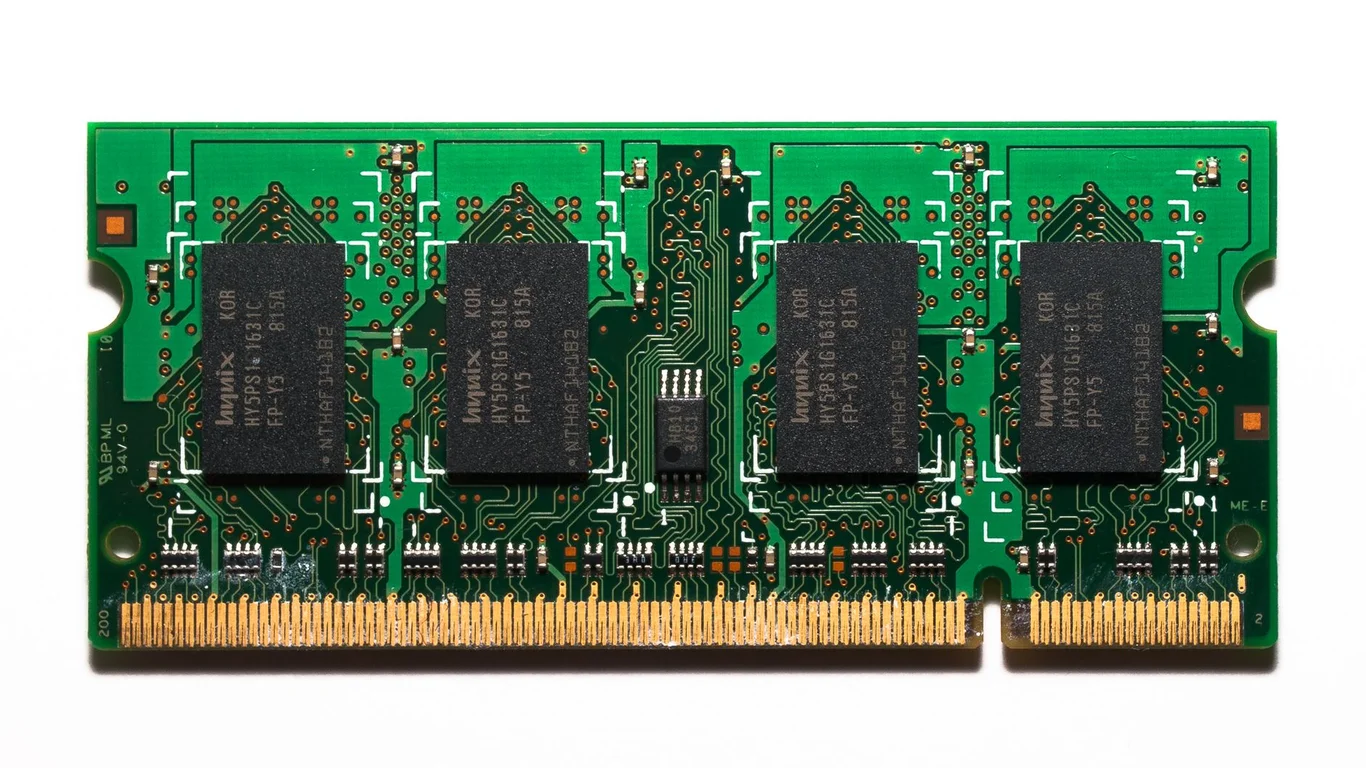
You have likely read that using non-ECC RAM with ZFS is a guaranteed path to data loss, or conversely, that ECC is an expensive waste for a home server. The truth sits in the middle. ECC RAM protects against a specific, rare type of memory error called a bit-flip, and for most home NAS builds, the risk of that error silently corrupting your data is very low. This guide breaks down what ECC actually does, when the risk becomes real, and how to decide if the extra cost and motherboard restrictions are worth it for your specific build.
What Does ECC RAM Actually Protect Against?
ECC (Error-Correcting Code) RAM detects and corrects single-bit memory errors on the fly. A single-bit error, often caused by cosmic radiation or manufacturing defects, flips a 0 to a 1 or vice versa. Without ECC, this corrupted data can be written to disk, silently corrupting a file. ECC catches this and corrects it before it reaches your storage.
What ECC does not protect against: software bugs (like a kernel panic), drive firmware bugs, accidental deletion, ransomware, or a failing power supply. It is a single layer of defense against a very specific hardware failure mode.
The term “bit-flip” is often used interchangeably with “soft error.” These are transient faults, not permanent hardware damage. A single bit-flip can corrupt a photo, a database record, or an entire file if it lands in a critical data structure during a write operation.
Why the “ZFS Requires ECC” Claim Is Overstated
The myth that ZFS will silently corrupt your data without ECC RAM is rooted in a misunderstanding of ZFS’s checksumming. ZFS verifies data integrity at rest using checksums. If a bit-flip occurs in memory during a write, ZFS will calculate a checksum based on the corrupted data and store that bad checksum. On a later read, ZFS will compare the stored data against the stored checksum, find them matching, and return the corrupted data — a classic silent data corruption scenario.
However, this scenario is extremely rare in practice. The probability of a single bit-flip landing in exactly the right memory location during a write operation is astronomically low for a home NAS that isn’t under constant heavy write load. For enterprise servers with terabytes of RAM and continuous 24/7 operation, the risk is real and ECC is mandatory. For a home NAS with 16-32GB of RAM and a few hours of active use per day, the risk is negligible.
Real-World Risk Level for a Home NAS vs Enterprise Server
Enterprise servers run 24/7 with hundreds of gigabytes of RAM, often in environments with higher radiation levels (data centers at altitude). The soft error rate for DDR4 is roughly 1 FIT (failure in time) per 1012 bit-hours. That means a single 16GB stick has a roughly 1-in-10,000 chance of experiencing a correctable error per year. For a home NAS running 8 hours a day, that risk drops to about 1-in-30,000 per year.
| Use Case | Typical RAM | Annual Soft Error Risk (per stick) | ECC Recommended? |
|---|---|---|---|
| Enterprise Server (24/7, 256GB+) | DDR4/DDR5 RDIMM | ~1-in-100 | Mandatory |
| Home NAS (8/5/24, 16-32GB) | DDR4/DDR5 UDIMM | ~1-in-30,000 | Optional |
| Backup Server (offline most of day) | Any | ~1-in-100,000 | Not needed |
If you are running a TrueNAS system with critical data (e.g., a business file server or a database server) and have 64GB+ of RAM, the risk increases proportionally. At that point, the cost of ECC is a cheap insurance policy compared to the time and effort of restoring from backup.
Motherboard and CPU Requirements for ECC
ECC RAM is not plug-and-play. You need three things to work together:
- A CPU that supports ECC (Intel: Xeon, Core i3 (some), Pentium (some); AMD: Ryzen Pro, Threadripper, EPYC; all consumer Ryzen support ECC but motherboard support varies).
- A motherboard chipset that supports ECC (Intel: C-series chipsets like C246, C256, W680; AMD: B450, B550, X570, X670 all support ECC with a compatible CPU).
- Actual ECC RAM sticks (UDIMMs for consumer platforms, RDIMMs for server platforms).
Intel consumer platforms (e.g., Z690, B760) do not support ECC, even with a compatible CPU. AMD consumer platforms (B550, X570) do support ECC with a Ryzen CPU, but motherboard manufacturers often don’t validate it. Check the motherboard’s QVL (Qualified Vendor List) for verified ECC RAM kits.
Good Fit for ECC
- TrueNAS or ZFS build with 64GB+ RAM
- Business-critical data (no backup tolerance)
- 24/7 operation with heavy write loads
- Used server hardware (Xeon + C-series chipset)
Bad Fit for ECC
- Budget home NAS (under $500 build)
- Light use: media streaming, file backup
- Unraid or SnapRAID (no checksumming concern)
- Low RAM (16GB or less)
Cost Difference: When Is ECC Worth Paying For?
ECC RAM costs roughly 30-50% more than equivalent non-ECC RAM. A 16GB DDR4 ECC UDIMM kit might run $80-$120, while a non-ECC kit is $40-$60. The bigger cost is often the motherboard: a consumer board with ECC support (e.g., a B550 or a used Supermicro X11) can be $100-$200, while a non-ECC board is $80-$150. The premium is usually $50-$150 total.
That premium is worth it if:
- Your data is irreplaceable and you cannot tolerate any corruption risk.
- You are building a TrueNAS system with 64GB+ of RAM.
- You are using used enterprise hardware (Xeon + Supermicro) anyway.
It is not worth it if:
- You are on a strict budget and every dollar counts.
- You are running Unraid or a basic file server with minimal RAM.
- You already have a solid backup strategy (which is far more important than ECC).
If you are choosing a CPU for your NAS and want the ECC option later, consider an AMD Ryzen (non-G series) or an Intel Xeon. These platforms give you the flexibility to add ECC RAM later without replacing the entire motherboard. Our Best CPU for TrueNAS in 2026 guide covers which CPUs support ECC and which don’t.
Bottom Line: Which Should You Choose for Your NAS?
For the vast majority of home NAS builders, non-ECC RAM is perfectly fine. The risk of a silent data corruption from a memory bit-flip is extremely low, and the cost premium for ECC is better spent on a second backup drive or a larger SSD cache. If you are building a TrueNAS system with 64GB+ of RAM, running a business file server, or have a low tolerance for any data corruption risk, then ECC is a worthwhile investment. If you are on a budget, running Unraid, or have a solid backup strategy, skip ECC and spend that money on more storage or a better UPS. Remember: a good backup is worth more than ECC RAM every single time.
Frequently Asked Questions
Does TrueNAS require ECC RAM to work?
No, TrueNAS does not require ECC RAM. TrueNAS will install and run perfectly fine on non-ECC memory. The TrueNAS documentation recommends ECC for production environments but explicitly states it is not a hard requirement. Many thousands of home users run TrueNAS on non-ECC hardware with no issues. The recommendation is driven by enterprise best practices, not a technical dependency.
Will my ZFS pool corrupt without ECC RAM?
No, ZFS will not corrupt your pool simply because you use non-ECC RAM. The risk is that a rare memory bit-flip during a write operation could cause a single corrupted block to be written to disk, and ZFS would not detect it because the checksum was calculated on the corrupted data. This scenario is extremely rare in practice for a home NAS with modest RAM and light usage. The probability of this happening is far lower than the probability of a drive failure, a power surge, or a software bug corrupting your data.
Is ECC RAM worth it for a home NAS?
For most home NAS builds, ECC RAM is not worth the extra cost. The premium of $50-$150 is better spent on a larger SSD cache, a second backup drive, or a higher-quality power supply. ECC becomes worth it if you have 64GB+ of RAM, run your NAS 24/7 with heavy write loads, or store irreplaceable data that you cannot afford to lose. If you are already buying used enterprise hardware (like a Supermicro board and Xeon CPU), the cost difference is minimal and ECC is a nice bonus. For a budget build under $500, skip it.
Which CPUs and motherboards support ECC RAM?
On the Intel side, ECC support requires a Xeon CPU or a Core i3 (some models) paired with a C-series chipset motherboard (like C246 or W680). Consumer chipsets like Z690 and B760 do not support ECC. On the AMD side, all Ryzen CPUs (except the G-series APUs) support ECC, but motherboard support varies. B450, B550, X570, and X670 boards typically support ECC, but you must check the specific model’s QVL. For a guaranteed ECC build, used server hardware (Supermicro X11/X12 with a Xeon E-2200/E-2300) is the most reliable and cost-effective path.
Last verified: July 09, 2026. Specifications cross-checked against manufacturer documentation where available.
🛡 Shop Recommended Hardware
Prices and stock verified regularly by our affiliate partners. As an affiliate, HomeLabCost may earn a commission on qualifying purchases at no extra cost to you.
Browse Hardware Picks →
homelabcost
HomeLabCost editor covering NAS builds, hardware selection, and homelab server setup guides.