
Best Mini-ITX NAS Case in 2026: Bay Count, Airflow & PSU Fit
 11 min read
2,145 words
11 min read
2,145 words
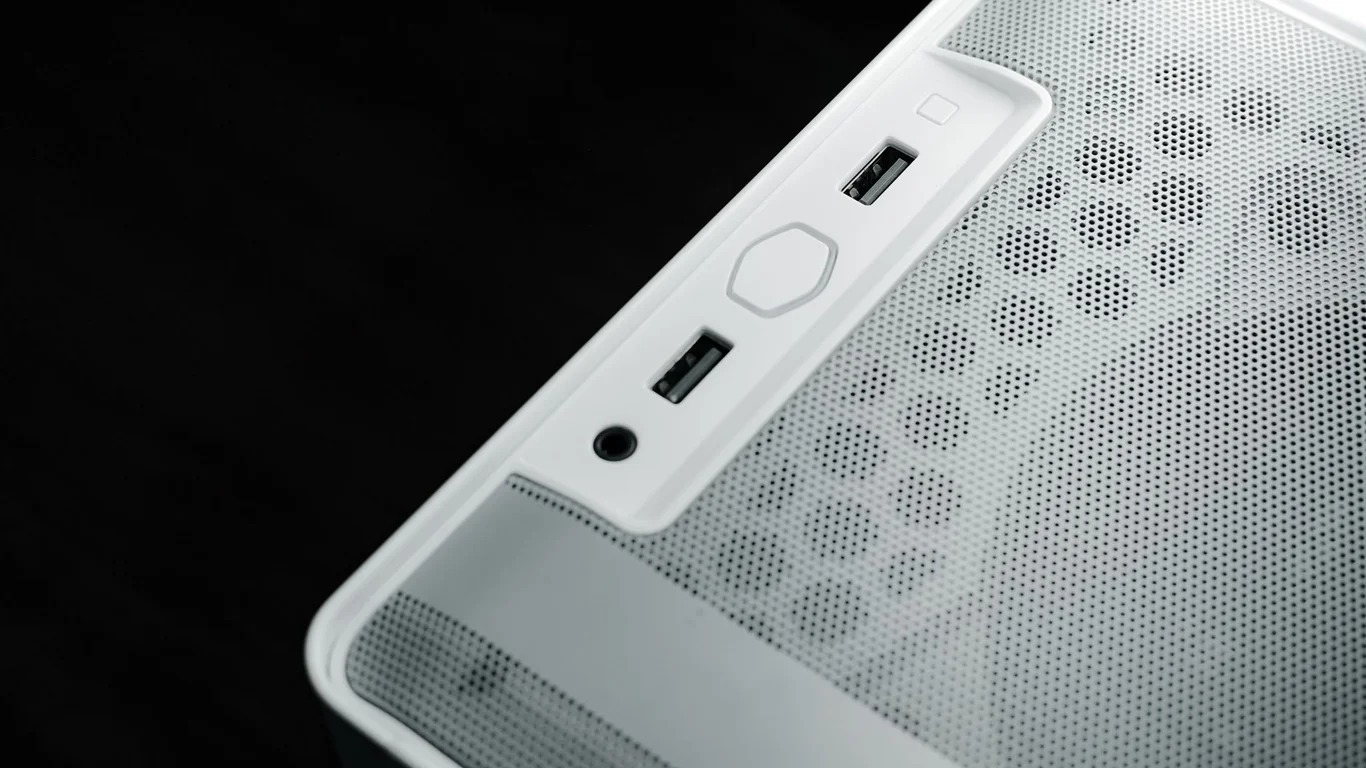
Choosing the best mini-ITX NAS case for your 2026 build is a balancing act between drive capacity, airflow, and PSU compatibility. The wrong case can force you into a smaller power supply than your drives need, or leave your hard drives cooking from poor ventilation. This guide breaks down the key considerations and top picks so you can match a case to your build before you buy a motherboard or drives.
We’ll cover why you must decide on drive count and form factor first, the PSU clearance gotchas that trip up many DIY builders, and specific case recommendations for quiet 4-6 drive builds, high-density 8+ drive setups, and compact living-room servers. Each section ties back to real-world trade-offs so you can make a confident buying decision.
Why Drive Count and Drive Form Factor Should Be Decided First
Before you look at any case, decide how many 3.5-inch hard drives you need and whether you’ll use any 2.5-inch SSDs. This single decision determines the case size, the type of PSU you can fit, and the cooling required. A case that holds 4 drives is very different from one that holds 8, and the wrong choice can mean rebuilding your entire system later.
Most home NAS builds use 3.5-inch drives for bulk storage because they offer the best cost per terabyte. A single 3.5-inch drive bay takes up roughly 25mm of vertical space and about 100mm of depth inside the case. Mini-ITX cases are compact, so every bay counts. If you plan to start with 4 drives and expand to 6 later, choose a case that supports 6 bays now — swapping cases later is a major project.
If you’re unsure about your storage needs, start with 4 drives in a 6-bay case. This leaves room for expansion without forcing a case swap. For help sizing your storage, see How Much Storage Do You Need for a NAS? A Practical Sizing Guide.
3.5-inch vs 2.5-inch Bays: What Matters for Your Build
3.5-inch bays are the standard for high-capacity hard drives (8TB to 22TB per drive). 2.5-inch bays are typically for SSDs or laptop-style hard drives, which top out around 5TB per drive. A case that advertises 8 bays but uses 2.5-inch slots for half of them won’t give you the capacity you expect. Always check the spec sheet for the exact number of 3.5-inch bays versus 2.5-inch bays.
Some cases use a single 5.25-inch optical bay that can hold two 2.5-inch drives, but that’s not useful for a modern NAS. Focus on cases that list dedicated 3.5-inch drive cages. If you need 8 drives, look for a case with 8 dedicated 3.5-inch bays — not a mix that includes 2.5-inch slots.
PSU Compatibility Gotchas: SFX-L Clearance and More
Mini-ITX NAS cases almost always use SFX or SFX-L power supplies, not standard ATX units. The difference matters because SFX-L units have a larger depth (typically 130mm vs 100mm for standard SFX), which can conflict with drive cages or the motherboard. Always verify the maximum PSU length a case supports before buying.
A common mistake is buying an SFX-L PSU for a case that only fits standard SFX. This forces you to return the PSU or modify the case. Most 4-6 bay mini-ITX cases accept SFX-L, but 8+ bay cases often require SFX because the extra depth would block drive mounting. Check the manufacturer’s spec sheet — if it says “SFX only,” don’t try to fit an SFX-L unit.
What Wattage PSU Do You Need for a NAS?
A typical 4-drive NAS with an Intel N100 or similar low-power CPU draws 30-50W at idle and 60-80W under load. A 300W SFX PSU is plenty for this build. For a 6-8 drive setup with a more powerful CPU (like an Intel i3 or Ryzen 5), aim for 400-500W to handle spin-up current spikes. Don’t overspend on a 750W PSU — it won’t improve efficiency at the low loads a NAS runs at.
For more on reducing power consumption, read How to Reduce Your NAS’s Power Consumption (Without Losing Performance).
Top Picks by Use Case: Quiet Builds, High-Density, and Living Room
The best mini-ITX NAS case for you depends entirely on your use case. We’ve grouped recommendations into three categories: quiet 4-6 drive builds for home users, high-density 8+ drive builds for power users, and compact living-room builds that prioritize aesthetics and low noise.
| Use Case | Case Recommendation | Drive Bays | PSU Fit | Typical Price |
|---|---|---|---|---|
| Quiet 4-6 drives | Fractal Design Node 304 | 6 x 3.5-inch | SFX/SFX-L | $90-$110 |
| High-density 8+ drives | Jonsbo N3 | 8 x 3.5-inch | SFX only | $150-$180 |
| Compact living room | SilverStone DS380 | 8 x 3.5-inch | SFX | $120-$140 |
| Budget 4-bay | Cooler Master Elite 110 | 4 x 3.5-inch | SFX/SFX-L | $50-$70 |
Best Mini-ITX NAS Case for 4-6 Drive Quiet Builds
The Fractal Design Node 304 remains a top choice in 2026 for quiet, low-density builds. It holds up to six 3.5-inch drives in a compact chassis (roughly 250mm x 210mm x 370mm) and uses sound-dampening foam on the side panels. The included 140mm fan runs quietly at low RPM, and you can add a second 140mm fan for better airflow if needed.
This case accepts SFX or SFX-L PSUs, giving you flexibility. The drive cage is removable, which helps during installation. The main trade-off is cable management — the small interior means you’ll need to plan your routing carefully. It’s a good fit for users running TrueNAS or Unraid with 4-6 drives. For software considerations, see TrueNAS vs Unraid: Which Should You Run in 2026?.
The Node 304 has been available for years, and stock can vary. Check multiple retailers before committing to this case. If unavailable, the Jonsbo N2 is a similar alternative with 5 drive bays.
Best Mini-ITX NAS Case for 8+ Drive High-Density Builds
The Jonsbo N3 is the standout for 8+ drive builds in 2026. It packs eight 3.5-inch drive bays into a mini-ITX chassis that’s only slightly larger than the Node 304. The drives mount vertically on a removable cage, and the case includes a 120mm fan for intake. It only accepts SFX PSUs — SFX-L will not fit — so plan accordingly.
Airflow is the main challenge at this density. With eight drives stacked close together, you’ll want to use drives rated for lower operating temperatures (typically 0-60°C) and ensure the case has good intake ventilation. The N3’s front mesh panel helps, but you may need to add a second fan. Builders running ZFS with RAIDZ2 should note the heat output — see RAID 1 vs RAID 5: Which Gives You More Usable Storage? for capacity planning. RAID is not a backup, so always maintain a separate backup strategy.
Eight drives in a mini-ITX case generate significant heat. Monitor drive temperatures with SMART data during the first week. If any drive exceeds 50°C under load, consider adding a second fan or reducing the drive count.
Best Silent NAS Case for Living Room Use
The SilverStone DS380 offers eight drive bays in a slim, rack-mountable or desktop form factor. It uses a rear-mounted PSU and a single 120mm fan for cooling. The case is designed to be quiet, with rubber grommets on drive mounts and a foam-lined side panel. It’s a good fit for a living-room server running Plex or Home Assistant.
The DS380 only fits SFX PSUs, and the drive cage is fixed — you can’t remove it for easier access. Cable management is tight, and you’ll need to plan your SATA cable routing before installing drives. The case is about 350mm deep, so measure your space before buying.
Airflow and Cooling Trade-Offs at Higher Drive Density
As drive count increases, airflow becomes the limiting factor. A 4-drive build in a case like the Node 304 runs cool with a single 140mm fan. An 8-drive build in the Jonsbo N3 needs careful fan placement and may require drives with lower operating temperatures. The key trade-off is noise versus cooling: more fans mean more noise, but insufficient cooling shortens drive life.
Most 3.5-inch hard drives operate best between 25°C and 45°C. Above 50°C, failure rates increase. In a high-density mini-ITX case, aim for at least one 120mm intake fan per four drives. If your case only supports one fan, consider using slower-spinning 5400 RPM drives (like WD Red Plus) that generate less heat than 7200 RPM models.
Motherboard Rear-I/O Clearance Issues to Check Before Buying
Mini-ITX cases vary in how much clearance they provide around the rear I/O panel. Some cases, especially older designs, have sharp metal edges near the I/O shield that can damage cables or make insertion difficult. Others position the motherboard tray so close to the side panel that large CPU coolers or rear-mounted M.2 SSDs won’t fit.
Check three things before buying: the maximum CPU cooler height (typically 60-70mm for mini-ITX NAS cases), the clearance for rear M.2 SSDs (some cases leave only 5-10mm of space), and whether the I/O shield opening is standard or proprietary. Most cases use a standard opening, but some budget models require a specific orientation. For CPU recommendations, see Best CPU for TrueNAS in 2026: From Basic NAS to ZFS Powerhouse.
The Jonsbo N3 has a known issue: the rear I/O area is tight, and some motherboards with large rear M.2 heatsinks (like the ASUS ROG Strix B760-I) may not fit without removing the heatsink. Always check forum posts for your specific motherboard before buying this case.
Which Should You Choose: Quiet, Dense, or Compact?
Here’s the bottom line: if you need 4-6 drives and value silence, the Fractal Design Node 304 is the clear choice. If you need 8+ drives and can manage the heat, the Jonsbo N3 offers the best density. For a living-room build that looks good and stays quiet, the SilverStone DS380 is a solid pick.
Don’t chase maximum bay count if you only need 4 drives — the extra heat and noise from a high-density case aren’t worth it. Similarly, don’t buy a 4-bay case if you plan to expand to 6 drives next year. Pick the case that matches your current needs and your planned expansion within 12-18 months.
Good Fit
- 4-6 drives, quiet operation: Node 304
- 8 drives, high density: Jonsbo N3
- Living room, 8 drives: DS380
- Budget 4-bay: Elite 110
Bad Fit
- 8 drives in a 4-bay case: avoid
- SFX-L PSU in SFX-only case: avoid
- High-density case without extra fan: avoid
Frequently Asked Questions
How many drives fit in a mini-ITX NAS case?
Most mini-ITX NAS cases hold between 4 and 8 3.5-inch hard drives. A 4-bay case like the Cooler Master Elite 110 fits 4 drives, while a high-density case like the Jonsbo N3 fits 8 drives. Some cases also include 2.5-inch bays for SSDs, but those are separate from the 3.5-inch bays. Always check the spec sheet for the exact number of 3.5-inch bays, as some cases advertise total bays that include 2.5-inch slots.
Do I need a special PSU for a NAS case?
Yes, most mini-ITX NAS cases require an SFX or SFX-L power supply, not a standard ATX unit. SFX PSUs are smaller (roughly 125mm x 100mm x 63mm) and fit in compact cases. SFX-L units are slightly deeper (130mm vs 100mm) and may not fit in all cases. Always check the case’s maximum PSU depth before buying. For a 4-6 drive NAS, a 300W SFX PSU is sufficient. For 8 drives, a 400-500W SFX PSU is recommended to handle spin-up current.
What’s the quietest NAS case for a living room?
The Fractal Design Node 304 is widely considered the quietest mini-ITX NAS case for a living room. It uses sound-dampening foam on both side panels and a single 140mm fan that runs at low RPM. For 8-drive builds, the SilverStone DS380 offers similar quiet operation with foam lining and rubber drive grommets. Both cases keep noise levels around 20-25 dB at idle, which is barely audible in a quiet room. Avoid high-density cases like the Jonsbo N3 if noise is your top priority, as the tighter drive spacing can require faster fan speeds.
What’s the best case for 8+ drive bays?
The Jonsbo N3 is the best mini-ITX case for 8+ drive bays in 2026. It holds eight 3.5-inch drives in a compact chassis, uses a removable drive cage, and includes a 120mm intake fan. It only fits SFX PSUs (not SFX-L), so plan accordingly. The SilverStone DS380 is a good alternative if you need a slim, living-room-friendly design. For both cases, you may need to add a second fan to keep drives below 45°C under sustained load. Check drive temperatures regularly, especially during initial setup.
Last verified: July 09, 2026. Case specifications cross-checked against manufacturer documentation and retailer listings where available.
🛡 Shop Recommended Hardware
Prices and stock verified regularly by our affiliate partners. As an affiliate, HomeLabCost may earn a commission on qualifying purchases at no extra cost to you.
Browse Hardware Picks →
homelabcost
HomeLabCost editor covering NAS builds, hardware selection, and homelab server setup guides.