
Best CPU for Proxmox in 2026: Homelab to Enterprise VM Density
 8 min read
1,541 words
8 min read
1,541 words
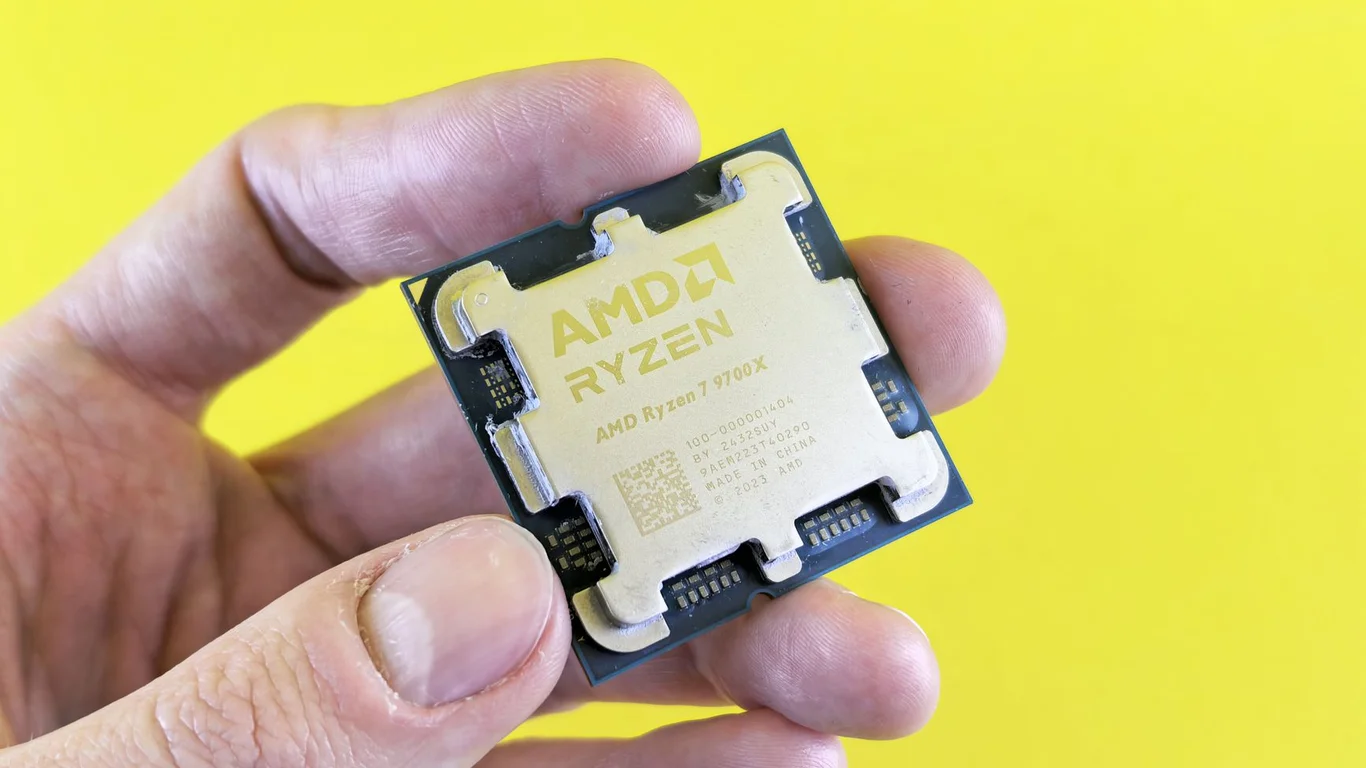
What Is the Best CPU for Proxmox in 2026?
If you’re building a Proxmox VE host, the CPU is the single most impactful component for VM density. The best CPU for Proxmox balances core count, single-threaded speed, and platform features like PCIe lanes and memory channels — and the right choice changes dramatically depending on whether you’re running 5 lightweight containers or 20 production VMs. This guide covers Proxmox CPU requirements, the best consumer and enterprise picks for 2026, and a practical rule for sizing cores per VM so you don’t overspend or underprovision.
Proxmox CPU Requirements: The Baseline You Must Meet
Before looking at specific models, you need to confirm your CPU supports hardware virtualization. Proxmox VE requires a 64-bit x86 processor with Intel VT-x (or AMD-V) and IOMMU support for PCI passthrough. Any Intel Core 3rd-gen or newer, AMD Ryzen 1000-series or newer, and all EPYC and Xeon Scalable processors meet this bar.
A CPU without VT-x/AMD-V will not boot Proxmox at all. Check your BIOS settings — virtualization is sometimes disabled by default on consumer motherboards.
For 2026 builds, avoid any CPU older than Intel 12th-gen (Alder Lake) or AMD Ryzen 5000-series. Older chips lack modern power management and PCIe 4.0/5.0 support, which matters if you’re passing through NVMe drives or GPUs to VMs.
How Many VMs Per CPU Core? The 2–4 Core Rule
A common question is “how many VMs per CPU core” for Proxmox. The rule of thumb used by most homelab operators is 2–4 cores per VM for typical workloads (web servers, media servers, lightweight databases). A single modern core can handle 2–3 lightweight LXC containers comfortably.
This assumes you’re not running CPU-bound tasks like video encoding or heavy databases in every VM. If your workload is compute-heavy, drop to 1–2 cores per VM and plan accordingly.
Best CPU for Proxmox: Consumer Pick for Homelabs
AMD Ryzen 5 5600G: The Balanced Homelab Workhorse
For most homelab builders, the AMD Ryzen 5 5600G (or its 2026-equivalent, the Ryzen 5 8600G) offers the best balance of core count, clock speed, and price. With 6 cores / 12 threads and boost clocks up to 4.4 GHz, it handles 10–15 mixed VMs without breaking a sweat. Its integrated Vega graphics mean you don’t need a discrete GPU for console access during setup.
Pros
- Excellent single-threaded performance for fast VM response
- Integrated GPU saves cost on a discrete card
- Low power draw at idle (~15–25W for the whole system)
Cons
- Only 6 cores — you’ll hit a ceiling around 15–18 VMs
- No PCIe 5.0 support on AM4 platform
- Limited memory channels (dual-channel only) for memory-heavy VMs
This CPU is ideal for a 3–5 VM homelab running Plex, Home Assistant, a database, and a few development containers. For higher density, step up to an 8-core Ryzen 7 5700X or 8700G.
Why Intel Still Wins for Quick Sync Transcoding
If you run media transcoding VMs (Jellyfin, Plex, Emby) alongside other workloads, Intel’s Quick Sync Video gives a clear advantage. Intel 12th-gen and newer (Core i3-12100, i5-12400) include the UHD 730 or 770 iGPU, which handles H.264, H.265, and AV1 decode/encode with minimal CPU load.
A Core i3-12100 with Quick Sync can transcode four 4K HDR streams simultaneously while leaving all 4 cores free for other VMs. AMD’s Ryzen 7000-series iGPUs lack hardware encoding, so you’d need a discrete GPU for transcoding.
For a Proxmox host that doubles as a media server, the Intel Core i5-13500 (14 cores / 20 threads) is a strong contender — it offers more cores than the Ryzen 5 5600G while retaining Quick Sync. Expect to pay $220–$280.
Used Enterprise Picks: EPYC 7002 and Xeon Gold for High VM Density
For 15–30+ VMs, used enterprise CPUs offer unmatched core density per dollar. Two standouts in 2026 are the AMD EPYC 7402P (24 cores / 48 threads) and the Intel Xeon Gold 6248R (24 cores / 48 threads).
EPYC 7402P: The VM Density King
The EPYC 7402P supports 8 memory channels and 128 PCIe 4.0 lanes, making it excellent for VMs that need direct NVMe or GPU access. Used prices range from $200–$350 on the server surplus market.
The EPYC 7002-series uses the SP3 socket, which requires a server motherboard (like the Supermicro H11SSL-i). These boards lack fan headers for standard CPU coolers and typically need active cooling or a 40mm fan — plan your chassis accordingly.
Xeon Gold 6248R: Intel’s Density Alternative
Xeon Gold 6248R chips are similarly priced ($250–$400 used) and work with LGA 3647 motherboards. They support 6 memory channels and Intel’s VMD for NVMe RAID, but lack the PCIe lane count of EPYC. They’re a better fit if you already have DDR4 RDIMMs from a previous server build.
EPYC 7402P Pros
- More PCIe lanes (128 vs 48 on Xeon)
- 8 memory channels for memory-heavy VMs
- Lower used price per core
EPYC 7402P Cons
- Higher idle power (~80–120W for the CPU alone)
- Louder with server-style cooling
- No integrated graphics — needs a cheap GPU for setup
The power trade-off is real: an EPYC system idles at 100–150W, while a Ryzen 5600G system idles at 15–25W. If you run the server 24/7, that difference adds $100–$200 per year in electricity. For more on managing this, see How to Reduce Your NAS’s Power Consumption (Without Losing Performance).
How to Match CPU to Your VM Count
Use this quick sizing table to match the best CPU for Proxmox to your expected VM count:
| VM Count (Lightweight) | Recommended CPU Class | Example Models | Estimated Cost |
|---|---|---|---|
| 1–5 VMs | 4–6 core consumer | Intel i3-12100, Ryzen 5 5600G | $100–$160 |
| 5–15 VMs | 6–8 core consumer | Ryzen 7 5700X, Intel i5-13500 | $200–$280 |
| 10–20 VMs | 12–16 core consumer/HEDT | Ryzen 9 5900X, Intel i7-13700 | $300–$450 |
| 20–40 VMs | 24+ core enterprise | EPYC 7402P, Xeon Gold 6248R | $200–$400 used |
These estimates assume 2–3 cores per VM with moderate CPU usage. For memory-heavy workloads, also check How Much Storage Do You Need for a NAS? A Practical Sizing Guide for disk sizing considerations that affect VM performance.
Proxmox Virtualization CPU: What About ARM or Intel Atom?
ARM-based CPUs (like the Raspberry Pi 4 or Rockchip RK3588) are not recommended for Proxmox. Proxmox VE officially supports only x86-64 with hardware virtualization. While unofficial ARM ports exist, they lack PCIe passthrough and have limited community support.
Intel Atom C3000-series or newer “Snow Ridge” processors are viable for ultra-low-power builds (5–15 VMs) but cap out around 8–16 cores and lack the single-threaded speed for responsive VM interaction. Stick with Core, Ryzen, EPYC, or Xeon for a reliable Proxmox host.
Bottom Line: Which CPU Should You Choose for Proxmox in 2026?
For most homelab builders running 5–15 VMs, the AMD Ryzen 5 5600G or Intel Core i5-13500 are the best CPUs for Proxmox in 2026. Choose the Ryzen for raw core count per dollar and low idle power; choose the Intel if you need Quick Sync transcoding alongside your VMs. For high-density builds (20+ VMs), a used EPYC 7402P delivers unmatched core count at the cost of higher power draw and louder cooling.
Whichever you pick, remember that RAM and storage I/O often become bottlenecks before the CPU does. Pair your CPU with at least 32 GB of ECC or non-ECC DDR4/DDR5, and use NVMe SSDs for VM storage. For a deeper comparison of storage platforms, see TrueNAS vs Unraid: Which Should You Run in 2026? and RAID 1 vs RAID 5: Which Gives You More Usable Storage?.
Frequently Asked Questions
Do I need an enterprise CPU for a homelab Proxmox box?
No, you don’t need an enterprise CPU for most homelabs. Consumer CPUs like the AMD Ryzen 5 5600G or Intel Core i5-13500 handle 5–15 VMs easily and cost $120–$280 new. Enterprise CPUs (EPYC, Xeon) only make sense when you need 20+ VMs, require 8 memory channels for RAM-heavy workloads, or need 128 PCIe lanes for multiple GPUs or NVMe drives. The power cost difference is significant — a consumer system idles at 15–25W, while an enterprise system idles at 80–150W.
How many VMs can a Ryzen 5600G handle?
A Ryzen 5 5600G with 6 cores and 12 threads can comfortably handle 10–15 lightweight VMs (web servers, containers, Home Assistant) or 5–8 moderate VMs (Plex transcoding, database servers) before CPU contention becomes noticeable. This assumes 2–3 cores allocated per VM and that not all VMs are CPU-bound simultaneously. For heavier workloads, step up to an 8-core Ryzen 7 5700X or consider a used EPYC processor.
Is a used Xeon or EPYC worth it for Proxmox?
Yes, for high VM density (20+ VMs), used EPYC 7002-series or Xeon Gold processors are worth it. They offer 24–64 cores for $200–$500, which is far cheaper per core than new consumer CPUs. However, you pay for this in power consumption (idle at 80–150W vs 15–25W for consumer chips), louder cooling (server fans), and motherboard cost (server boards start at $200–$400 used). For a 24/7 homelab with under 15 VMs, a consumer CPU is usually the better value.
Does Proxmox need a CPU with integrated graphics?
No, Proxmox does not require integrated graphics. You can install and manage Proxmox entirely over the network via its web interface (port 8006) or SSH. Integrated graphics are only needed if you want console access during initial setup without a discrete GPU, or if you plan to use Intel Quick Sync for media transcoding in VMs. Many homelab builders use CPUs without iGPUs (like AMD Ryzen 5 5600X or EPYC) and rely on a cheap $20 GPU for initial configuration.
Last verified: July 09, 2026. Specifications cross-checked against manufacturer documentation where available.
🛡 Shop Recommended Hardware
Prices and stock verified regularly by our affiliate partners. As an affiliate, HomeLabCost may earn a commission on qualifying purchases at no extra cost to you.
Browse Hardware Picks →
homelabcost
HomeLabCost editor covering NAS builds, hardware selection, and homelab server setup guides.