
Enterprise HDD vs Consumer HDD for a NAS: Is the Premium Worth It?
 8 min read
1,579 words
8 min read
1,579 words
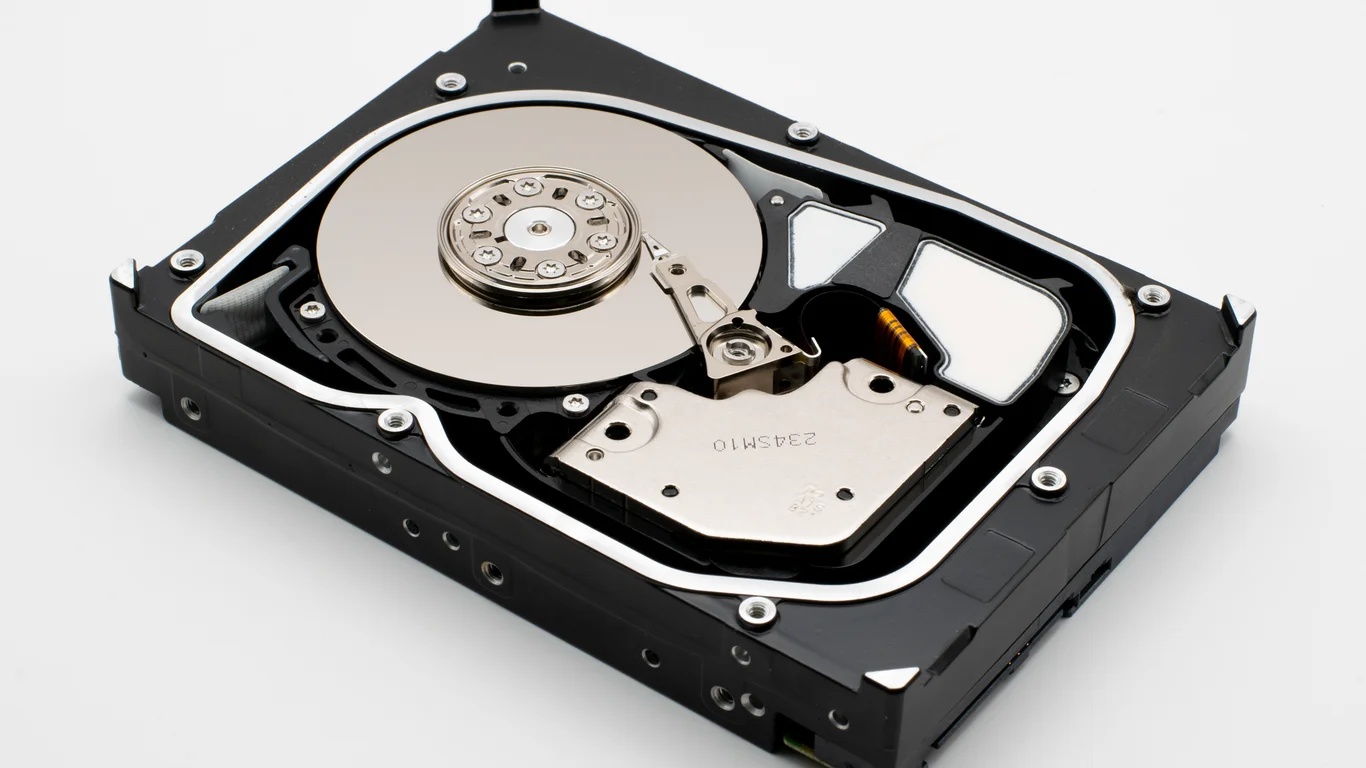
If you’re building a NAS, the choice between an enterprise drive and a consumer drive often comes down to a single question: will the higher upfront cost of an enterprise HDD pay off over its lifetime? The short answer is that for most homelab setups with 4 or more bays, enterprise drives are the better value, but for a simple 2-bay backup NAS, a consumer NAS-rated drive is often perfectly sufficient. This guide breaks down the workload ratings, warranty terms, price-per-TB crossover points, and real-world reliability differences so you can decide exactly where your money should go.
Enterprise HDD vs Consumer HDD: What Actually Changes?
At a glance, both a consumer NAS drive and an enterprise drive spin at similar RPMs and use the same basic magnetic recording technology. The real differences are in three specific areas that matter for continuous, multi-user operation: workload rating, warranty length, and vibration handling.
Workload Rating: The Key Spec Nobody Checks
Workload rating is the manufacturer’s stated limit on how much data can be written to the drive per year before it’s considered out of spec. Desktop drives typically have a rating of about 55 TB per year, NAS drives around 180 TB per year, and enterprise drives range from 300 to 550 TB per year. This isn’t just a marketing number — exceeding the workload rating can void the warranty.
In a 4-bay RAID 5 array with frequent media writes, backups, and Docker container logs, you can easily hit 80-120 TB of writes per year. That’s fine for a NAS-rated drive, but it would consume a desktop drive’s rated workload in under 8 months. Enterprise drives give you a 3-5x safety margin for the same workload.
Warranty Length: What 5 Years Tells You
Consumer drives (both desktop and NAS) typically come with a 2- or 3-year warranty. Enterprise drives almost always carry a 5-year warranty. The longer warranty signals that the manufacturer expects the drive to survive longer in continuous operation. It also means that if a drive fails in year 4, you’re getting a replacement at no cost — that alone can justify the price premium for a 5-year build.
Desktop vs NAS vs Enterprise HDD: The Price-Per-TB Crossover
Price-per-TB is where the decision gets interesting. At lower capacities (1-4 TB), consumer drives are significantly cheaper. At 8 TB and above, enterprise drives often cost the same or less per TB than their consumer counterparts. This is because enterprise drives are sold in higher volumes to data centers, and the price competition at 10-20 TB is intense.
| Drive Class | Typical Capacity Range | Price per TB (approx.) | Warranty | Workload Rating |
|---|---|---|---|---|
| Desktop | 1-4 TB | $15-$25 | 2 years | 55 TB/yr |
| NAS | 4-12 TB | $18-$30 | 3 years | 180 TB/yr |
| Enterprise | 8-22 TB | $14-$22 | 5 years | 300-550 TB/yr |
If you’re buying 8 TB or larger drives, always check enterprise pricing first. The price-per-TB often undercuts consumer NAS drives, and you get the longer warranty and higher workload rating as a bonus. At 4 TB and below, consumer drives are usually the better deal.
Is Enterprise HDD Worth It for Vibration and Reliability in Multi-Bay Enclosures?
One of the most overlooked differences is how drives handle vibration. In a 4-bay or larger NAS, the drives are physically close together. When one drive seeks, it creates micro-vibrations that can affect the read/write timing of adjacent drives. Enterprise drives include advanced vibration sensors and a dual-stage actuator that compensates for this in real time. Consumer NAS drives have some vibration protection, but it’s not as aggressive.
Vibration Sensor and VCM Design Differences
Enterprise drives use a voice coil motor (VCM) with a secondary actuator that adjusts the read/write head position based on vibration feedback. This is critical in 8-bay and larger enclosures where vibration is cumulative. Consumer drives rely on a simpler single-stage actuator that works fine in 1-2 bay setups but can cause performance degradation or increased error rates in densely packed arrays.
When Enterprise Drives Shine
- 8+ bay enclosures with continuous I/O
- RAID 5/6 or RAIDZ2 arrays where a single drive error triggers a parity recalculation
- 24/7 operation with multiple simultaneous users
When Consumer Drives Are Fine
- 2-bay NAS with mirrored drives
- Light use: backups once a day, media streaming to one or two devices
- Low write volumes under 50 TB per year
When You Don’t Need Enterprise Drives at All
If you’re building a 2-bay NAS for a single user — maybe for storing family photos and documents — enterprise drives are overkill. A pair of 4 TB NAS-rated drives in RAID 1 will give you 4 TB of usable storage, a 3-year warranty, and a workload rating that covers typical home use for years. The cost savings of $30-$50 per drive at this capacity is meaningful.
The same logic applies if you’re running TrueNAS or Unraid on a low-power Intel N100 or similar mini PC. These systems rarely generate enough continuous write traffic to stress even a desktop drive, let alone a NAS or enterprise model. In this scenario, the money saved on drives is better spent on a lower-power CPU or more RAM.
Workload Rating Explained: Matching the Drive to Your Use Case
To match a drive to your use case, estimate your annual write volume. For a typical home media server with Plex, Sonarr, and Radarr, you might write 40-80 TB per year. For a business backup server with 5 users and daily file syncs, you could hit 150-200 TB. For a video editing NAS with 4K footage, 300 TB per year is realistic.
- Under 50 TB/yr: Desktop or NAS drive is fine. No need for enterprise.
- 50-150 TB/yr: NAS-rated drive is the sweet spot. Enterprise is optional.
- 150-300 TB/yr: Enterprise drive is recommended. NAS drives will be at or near their limit.
- Over 300 TB/yr: Enterprise drive is mandatory. No consumer drive will last under warranty.
Bottom Line: Which Should You Choose?
For a 4-bay or larger NAS running 24/7 with multiple users, enterprise drives are the better value despite the higher upfront cost. The 5-year warranty, 300+ TB/yr workload rating, and vibration compensation make them cheaper over the life of the build. For a 2-bay light-use NAS, a pair of consumer NAS drives is perfectly adequate and saves you money you can put toward other components like a better CPU for TrueNAS or more RAM. Always check the price-per-TB at your target capacity — above 8 TB, enterprise often wins on price alone.
If you’re still deciding between RAID levels, see our guide on RAID 1 vs RAID 5 to understand how your drive choice affects usable storage and fault tolerance.
Important: RAID is not a backup. Always maintain a separate backup of your critical data, even with redundant drives.
Frequently Asked Questions
Do I need enterprise drives for a home NAS?
For most home NAS setups with 2-4 bays and light to moderate use, you do not need enterprise drives. A consumer NAS-rated drive (like a WD Red Plus or Seagate IronWolf) provides sufficient workload rating and warranty coverage for typical home media serving and backup tasks. Enterprise drives become worthwhile when you have 6+ bays, continuous 24/7 operation, or write volumes exceeding 150 TB per year. The key is matching the drive’s workload rating to your actual usage pattern.
Why do enterprise drives have a higher workload rating?
Enterprise drives are designed and tested for continuous operation in data center environments where drives may be written to heavily every day for years. They use higher-grade components, more robust head actuators, and advanced error recovery algorithms that allow them to sustain higher write volumes without failure. The workload rating (typically 300-550 TB per year) reflects the manufacturer’s guarantee that the drive will operate within spec under those conditions. Consumer drives are designed for intermittent home use and have lower ratings because their components are not tested for the same sustained load.
Are enterprise drives actually cheaper per TB at high capacity?
Yes, at capacities of 8 TB and above, enterprise drives often have a lower price per TB than consumer NAS drives. This is because enterprise drives are produced in higher volumes for data centers, and the pricing is very competitive. For example, a 14 TB enterprise drive might cost around $200, or about $14.30 per TB, while a 14 TB consumer NAS drive might cost around $240, or about $17.10 per TB. The price crossover point varies by brand and retailer, but it’s always worth checking enterprise pricing for drives 8 TB and larger before buying consumer models.
What workload rating do I need for my NAS use case?
To determine the workload rating you need, estimate your annual write volume. For a typical home media server with Plex and automated downloads, you’ll likely write 40-80 TB per year, which is well within a NAS drive’s 180 TB/yr rating. For a small office server with 5 users doing daily file syncs and backups, you might reach 100-150 TB per year, still within NAS drive limits. For video editing or heavy database workloads exceeding 200 TB per year, an enterprise drive with a 300-550 TB/yr rating is recommended to stay within warranty and ensure reliable operation.
Last verified: July 09, 2026. Specifications cross-checked against manufacturer documentation where available.
🛡 Shop Recommended Hardware
Prices and stock verified regularly by our affiliate partners. As an affiliate, HomeLabCost may earn a commission on qualifying purchases at no extra cost to you.
Browse Hardware Picks →
homelabcost
HomeLabCost editor covering NAS builds, hardware selection, and homelab server setup guides.